Check your IP address
This is the IP address every website sees when you connect — read below for what it says about you.
This product includes GeoLite2 data created by MaxMind, available from maxmind.com
What this number reveals about you
An IP address is the number assigned to your connection right now. Every website and app you use sees it — it is the return address for your traffic. What it directly reveals: your internet provider, your country, and your rough city-level area. Not your street address, but accurate enough to know which province you are in.
What an ordinary website cannot learn from your IP is who you are by name — the record of which customer held which IP at which time exists only at the internet provider, which retains such traffic data as required by law and discloses it only through legal process.
Checking your IP on a phone vs. a computer
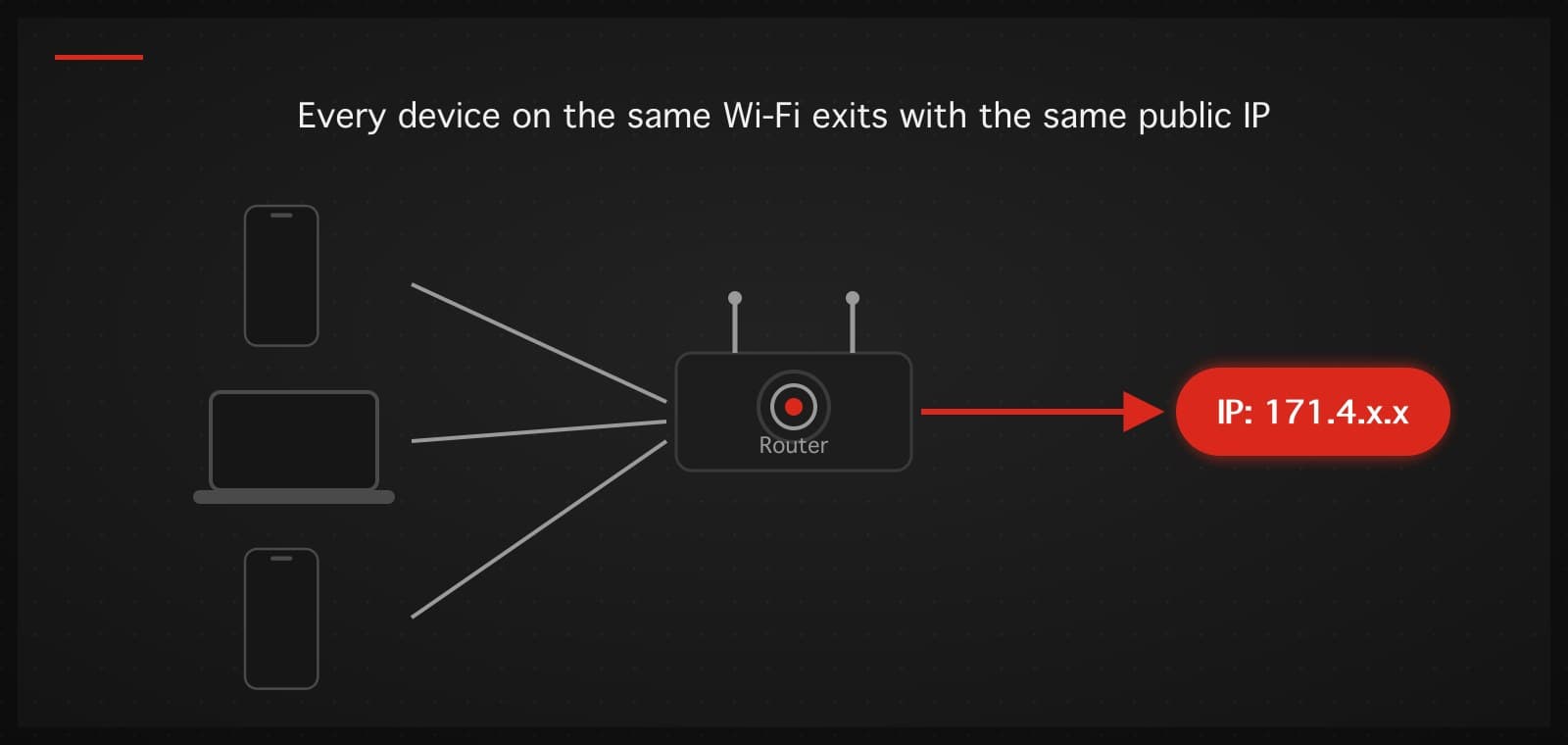
Same thing — this page works on any device, because what is measured is the connection, not the machine. Open it on your phone and you see your mobile network's IP (or the Wi-Fi you're on); open it on a computer and you see your home connection's IP. The part that surprises people: every device on the same Wi-Fi shows the same public IP, because they all exit through the same router.
Also normal: mobile IPs change often — carriers rotate addresses across customers, so seeing a different number at a different time is not a sign of anything wrong.
How to change your IP, or stop sites from seeing the real one
The most direct tool is a VPN: once connected, your traffic exits through the VPN server, and every website sees the server's IP instead of yours. Turn a VPN on, hit "Check again" on this page, and the number changes immediately. Your internet provider then sees only that you are connected to a VPN — not which sites you visit.
The complete picture: a VPN changes your IP and encrypts your connection, but it does not make you invisible — sites you log into still know it's your account, and tracking techniques like cookies and fingerprinting are separate from IP entirely. Anyone selling a VPN as 'complete anonymity' is over-advertising.
Can I check someone else's IP, or a website's IP?
This page shows only your own connection's IP. A website's IP can be found with nslookup or ping followed by the domain name on your own machine. Identifying the person behind someone else's IP is not possible from public data — that mapping exists only at the internet provider and is disclosed only through legal process.
Why is the location shown not where I actually am?
IP location databases derive location from how providers register their address blocks, not from GPS — when a provider allocates addresses across regions, the displayed location drifts. And if you are on a VPN, the location shown is the VPN server's, which is the tool working as intended.
IPv4 vs IPv6 — what's the difference?
IPv4 is the older, shorter format (e.g. 171.96.x.x), whose address space has run out; IPv6 is the newer, longer format with room to spare. Modern devices usually have both and pick automatically — nothing to configure. Which one this page shows depends on which route your network chose for this request.
What should I verify here after turning a VPN on?
Two things: the IP should change to the VPN server's address, and the country should match the server you picked. If the number still belongs to your own internet provider while the VPN claims to be connected, the tunnel is not actually carrying your traffic — check the app's settings or switch servers.
Want websites to see a different IP?
TukTukVPN switches your IP to a server in Bangkok, Singapore, Tokyo, Los Angeles, or London with one button — the app picks the server and protocol automatically for your network. First purchase carries a 30-day money-back guarantee.
See plans