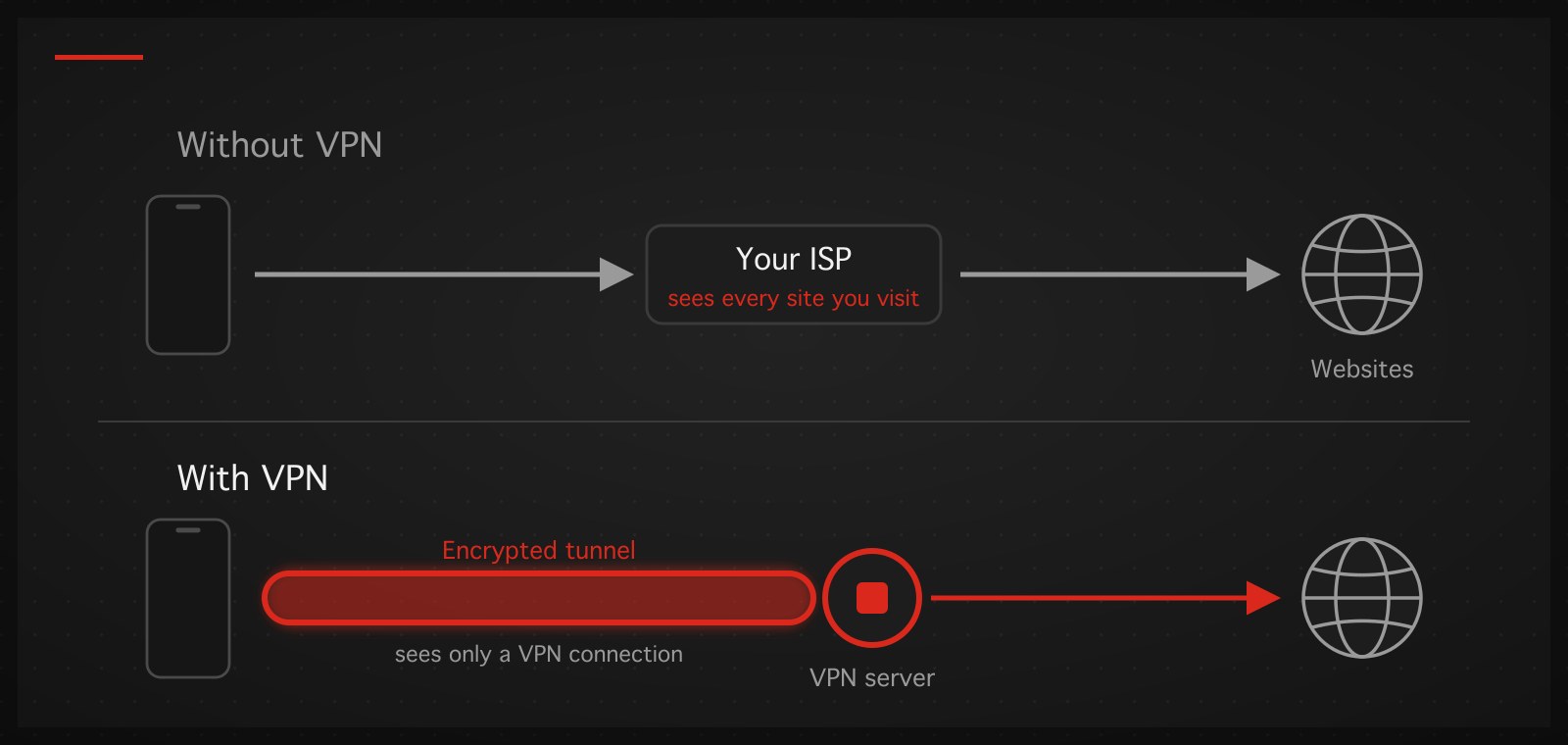
Short answer first: the VPN in your phone is a system feature that routes the whole device's internet through an encrypted tunnel to a server somewhere else. The VPN menu in your settings ships with every phone — it sits there even if you never installed anything, and it being empty or off is completely normal.
Now the questions people actually ask, one at a time.
Why does my phone have a VPN menu when I never installed one?
Both iPhone and Android build VPN support into the operating system, because a VPN is not an ordinary app — it is a pipe the OS itself must control and authorize. The menu stays empty until one of two things happens: you install a VPN app and accept its permission prompt, or your workplace or school installs an organization profile. If you find a name in there you don't recognize, it is almost always an app you tried once and forgot; the configuration can be deleted with no side effects (how-to in the iPhone and Android guides).
What does "turning off the VPN" actually mean?
It means disconnecting an active VPN so traffic flows directly again. Checking whether one is running is easy: iPhone shows a VPN badge in Control Center, Android shows a key icon in the status bar. No badge, no key — nothing to turn off.
The detailed steps differ by device, including the stubborn cases (it turns itself back on; the internet dies when it's off):
- iPhone / iPad → How to turn on, switch, and turn off a VPN on iPhone
- Android / Samsung → How to turn off or switch a VPN on Android
Should the VPN be on or off?
There is no single right answer; use these rules:
Keep it on when you're on public Wi-Fi (cafés, airports, hotels), you need services that don't work from your current network, or you'd rather your ISP saw less of your activity.
Turning it off is fine when you're on a home network you trust and nothing you're doing needs the VPN. Some services — certain banking apps, some games — dislike VPN traffic; turning the VPN off briefly for them is normal, not a failure.
One belief worth discarding: "leaving a VPN on drains the battery." That was true in the era of older protocols. Modern ones such as WireGuard are designed to do almost nothing when no traffic flows, so the battery cost is small.
Is a VPN dangerous?
The technology is not — it is the same standard encryption that banks and every HTTPS website use. The real risk lives in which provider you choose, because your whole device's traffic passes through their servers:
- Free VPNs are the number-one risk. Servers cost real money every month; a service that charges users nothing earns it elsewhere — in this market, that usually means ads, selling behavioral data, or worse.
- Treat "100% no logs" marketing with suspicion — especially from providers operating in jurisdictions whose law requires retaining certain traffic data, as Thai law does. A provider that plainly says "here is what we keep and why" is more credible than one promising to keep nothing at all.
- Good signs: clear pricing, a clear statement of what is kept, a real support channel, and an app that requests only the permissions it needs.
Summary: VPNs aren't dangerous; "a free VPN from whoever" is. Choose one the way you'd choose a bank, not the way you'd grab a free game.
Switching VPNs on a phone (the short version)
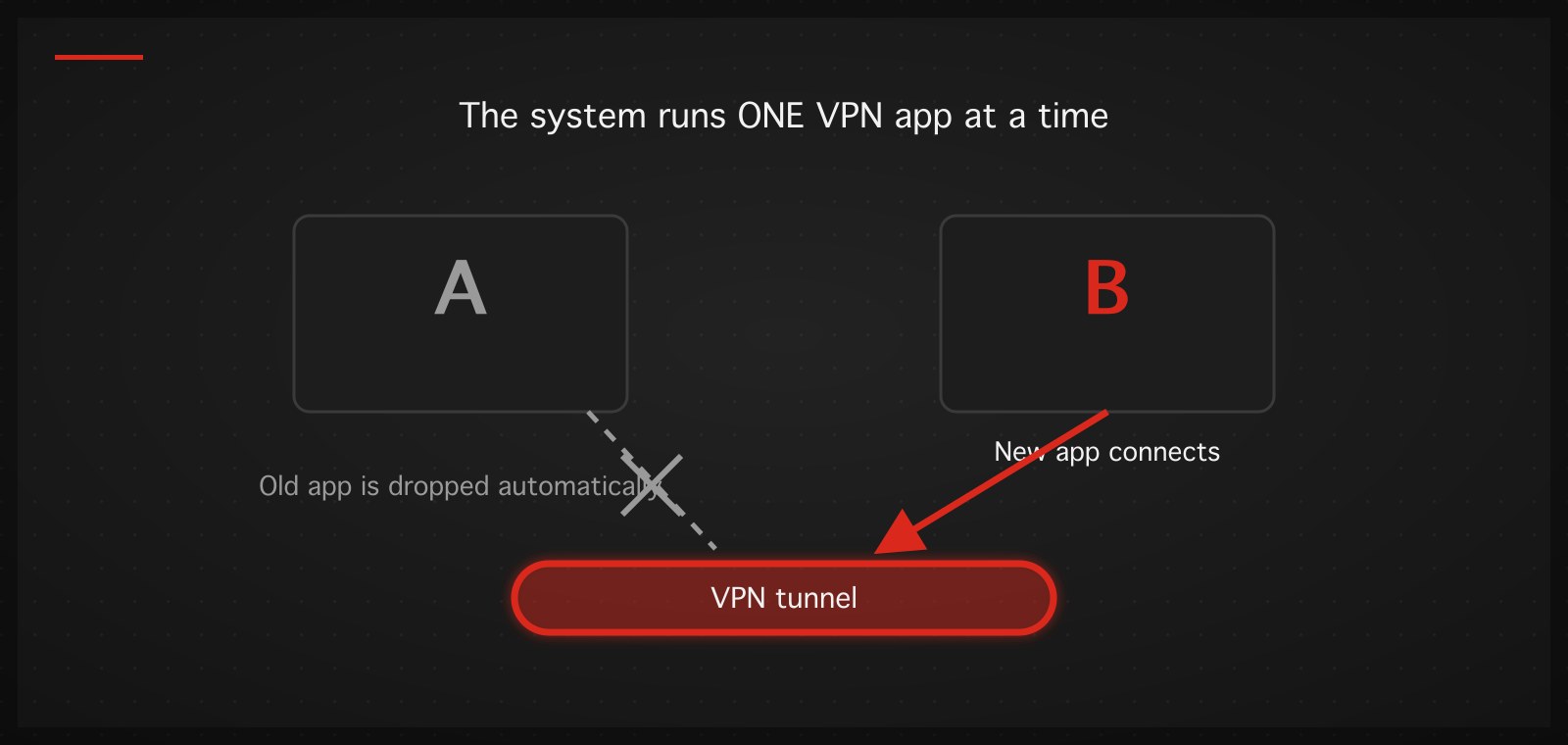
Same principle on iPhone and Android: the system runs one VPN at a time, so switching is easier than people expect — install the new app, hit connect, the system drops the old one automatically. The only extra work is cleaning up the old app's configuration and disabling its always-on/auto-connect before uninstalling. Full steps and the traps live in the two device guides linked above.
Cancelling a VPN subscription properly
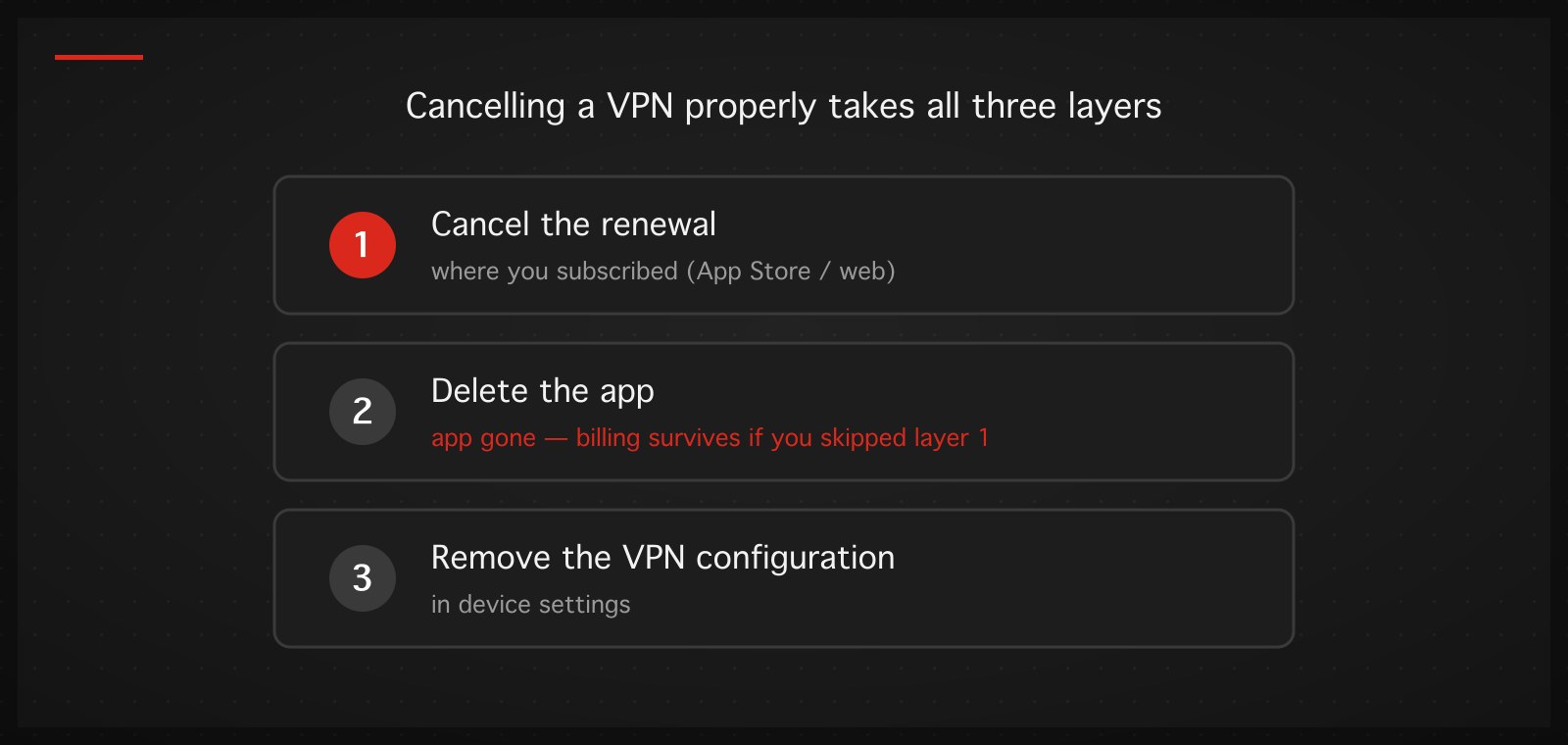
Three layers people mix up: cancel the renewal (in whatever system you subscribed through — the app, App Store/Play Store, or the provider's website), delete the app (the app disappears but billing can continue if you skipped the first layer!), and remove the VPN configuration in the device settings. All three done = fully out. The first layer is the one that matters most and the one most often forgotten.
If you're looking for a VPN that passes the "good signs" test above: TukTukVPN states plainly what it keeps, prices plainly, runs on iPhone, iPad, Android, Windows, Mac, and Linux from one account, picks the server and protocol automatically for the network you're on — and your first purchase carries a 30-day money-back guarantee, so trying it is reversible.